Shopping for managed IT support without reading the SLA is like buying a car without checking if it has brakes. Technically possible. Not recommended.
If you’re a South Florida SMB—especially with 20–50 employees—these are the non-negotiables you want locked into your agreement with any IT support company. No vague promises. No “we’ll try our best.” Real terms, real numbers.
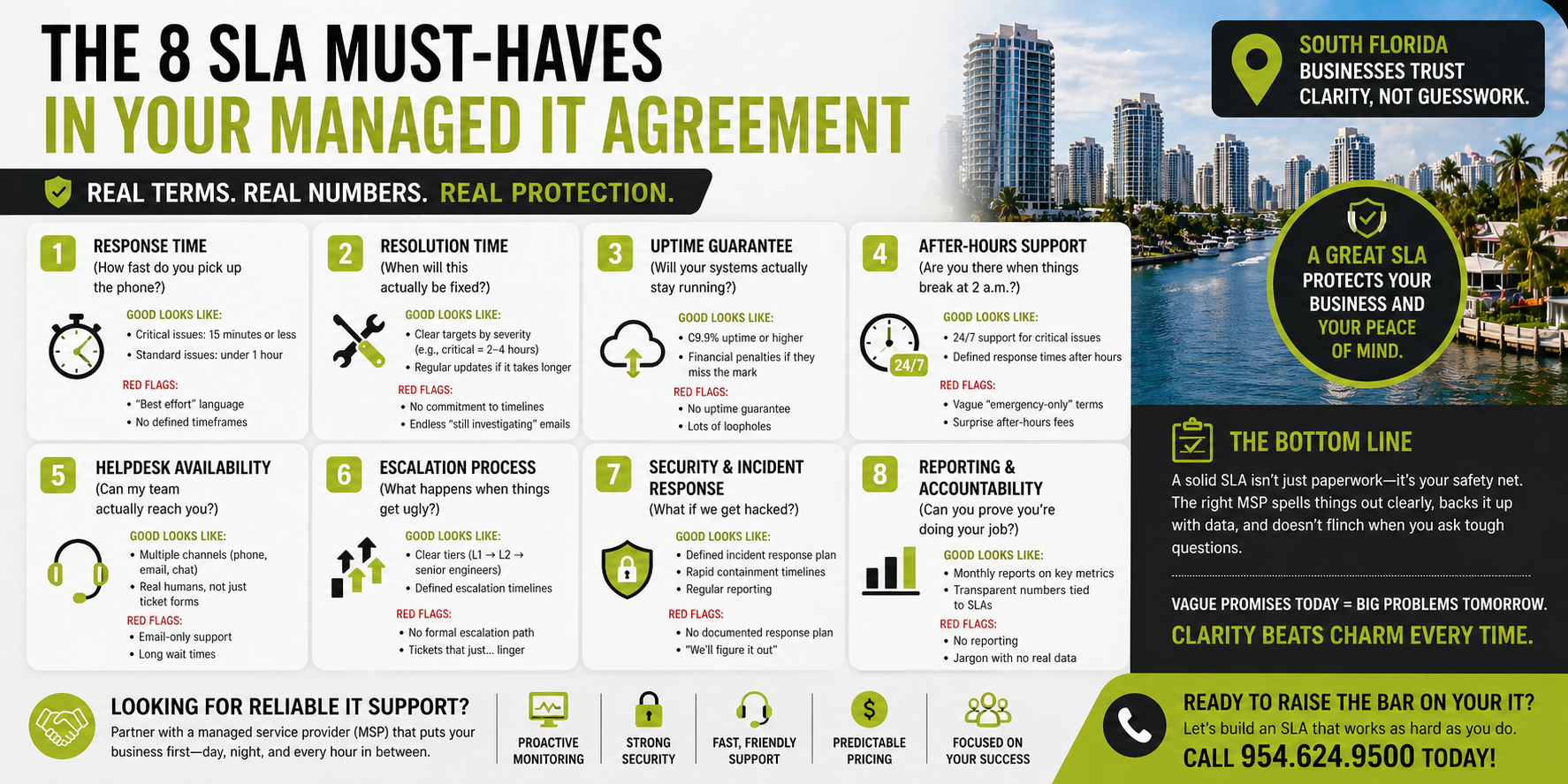
1. Response Time (a.k.a. “How fast do you pick up the phone?”)
Plain English: How quickly the IT team acknowledges your issue.
What good looks like:
- Critical issues: 15 minutes or less
- Standard issues: under 1 hour
Red flags:
- “Best effort” language
- No defined timeframes
Why it matters: When your systems go down, every minute costs money (and sanity).
2. Resolution Time (a.k.a. “When will this actually be fixed?”)
Plain English: How long it takes to solve the problem—not just say “we’re on it.”
What good looks like:
- Clear targets based on severity (e.g., critical = 2–4 hours)
- Regular updates if it takes longer
Red flags:
- No commitment to resolution timelines
- Endless “we’re still investigating” emails
Why it matters: Fast responses are nice. Fast fixes pay the bills.
3. Uptime Guarantee (a.k.a. “Will your systems actually stay running?”)
Plain English: The percentage of time your systems are up and working.
What good looks like:
- 99.9% uptime or higher
- Financial penalties if they miss the mark
Red flags:
- No uptime guarantee
- “We don’t cover third-party outages” (translation: lots of loopholes)
Why it matters: Downtime = lost revenue, missed emails, and very annoyed customers.
4. After-Hours Support (a.k.a. “Are you there when things break at 2 a.m.?”)
Plain English: Help outside normal business hours.
What good looks like:
- 24/7 support for critical issues
- Defined response times after hours
Red flags:
- “Emergency-only” support with no definition of “emergency”
- Extra fees that feel like surge pricing
Why it matters: Cyberattacks and server crashes don’t check your office hours first.
5. Helpdesk Availability (a.k.a. “Can my team actually reach you?”)
Plain English: When and how your team can get support.
What good looks like:
- Multiple channels (phone, email, chat)
- Real humans, not just ticket forms
Red flags:
- Email-only support
- Long wait times or outsourced confusion
Why it matters: If your team avoids contacting IT, small issues turn into big ones.
6. Escalation Process (a.k.a. “What happens when things get ugly?”)
Plain English: How issues move up the chain when they’re not resolved quickly.
What good looks like:
- Clear tiers (Level 1 → Level 2 → senior engineers)
- Defined escalation timelines
Red flags:
- No formal escalation path
- Tickets that just… linger
Why it matters: Some problems need the A-team. You want them involved fast.
7. Security & Incident Response (a.k.a. “What if we get hacked?”)
Plain English: How your provider handles cybersecurity threats.
What good looks like:
- Defined response plan for incidents
- Rapid containment timelines
- Regular reporting
Red flags:
- No documented incident response
- “We’ll figure it out when it happens” (hard pass)
Why it matters: In today’s world, it’s not if—it’s when.
8. Reporting & Accountability (a.k.a. “Can you prove you’re doing your job?”)
Plain English: Regular reports showing performance.
What good looks like:
- Monthly reports on response times, uptime, and tickets
- Transparent metrics tied to SLA promises
Red flags:
- No reporting
- Reports full of jargon but no real numbers
Why it matters: If you can’t measure it, you can’t manage it—and you definitely can’t hold anyone accountable.
The Bottom Line
A solid SLA isn’t just paperwork—it’s your safety net. The right managed services provider (MSP) will spell things out clearly, back it up with data, and not flinch when you ask tough questions.
If an IT support company dodges these terms or keeps things vague, that’s your cue to keep shopping.
Because in IT support for small business, clarity beats charm every time.